Agentic AI is different from simple scripts or generative chatbots: these agents can reason across steps, call tools and APIs, and autonomously coordinate multi-step workflows to drive outcomes, not just text. For enterprises, that makes them ideal for eliminating repetitive busywork while preserving control and auditability. Below, we outline 10 pragmatic agentic AI workflows ready for enterprise automation and ROI.
Whether you start with low/no-code agentic platforms for quick wins or use developer frameworks for deep customization, the goal is the same: compress manual effort and accelerate time-to-value.
Folio3 AI agent workflows for business efficiency
AI agents are software entities capable of autonomously executing and coordinating multi-step business workflows with the ability to reason and adapt, reducing manual effort across departments. Unlike standard automation that handles single-step tasks, agentic systems handle orchestration: they decompose tasks, fetch data, validate assumptions, call APIs, and escalate exceptions.
Folio3 AI focuses on customized, domain-specific agents that deliver real-time analytics, measurable process gains, and seamless interoperability with ERP, CRM, HRIS, and ticketing ecosystems. Typical outcomes include faster cycle times, lower administrative costs, and tangible ROI within standard enterprise project windows, enhanced by our integration-first approach and structured governance. For deeper context on where agentic AI fits alongside generative tools and RPA, see our overview on AI agents for enterprise from Folio3 AI.
10 AI agent workflows that eliminate busywork for enterprises
Explore ten pragmatic, integration-ready AI agent workflows that streamline core operations, cut manual effort, and accelerate ROI while preserving governance, auditability, and seamless interoperability across existing enterprise systems and teams.
Agent Workflow | Primary Users/Teams | Core Tasks | Key Integrations | Typical Outputs | Human-in-the-Loop | Governance/Audit | ROI Drivers | Example KPIs |
Email and Inbox Triage Agent | Executives, Sales, SDRs, CS, Ops | Classify by intent/urgency, summarize threads, draft replies, schedule handoffs | Email, Calendars, CRM | Prioritized inbox, summaries, draft replies | Yes – review/send gate | Logs, citation traces, audit history | Faster responses, less context switching | First-response time, time saved, reply rate |
Meeting Notes and Action-Item Extractor | All teams, PMs, Managers | Transcribe, extract decisions, assign tasks | Conferencing, Calendar, PM tools | Summary docs, task lists | Yes – validation | Transcripts, decision logs | Less overhead, fewer missed tasks | Completion rate, follow-up time |
Contract Intake and First-Pass Review | Legal, Procurement, Sales Ops | Extract terms, flag risks, route for review | DMS/CLM, e-sign, CRM | Metadata, risk flags | Yes – counsel review | Approval trails, compliance logs | Faster approvals | Cycle time, exception rate |
Invoice and Expense Processing Automation | AP, Finance | OCR, validate, match, post to ERP | Email, ERP, Vendor systems | Transactions, exception queues | Yes – exceptions only | Audit logs, dashboards | Lower cost, fewer errors | Cost per invoice, cycle time |
CRM Enrichment and Lead Routing | Sales, SDR, RevOps | Enrich data, score leads, route | CRM, APIs, intent data | Updated CRM, routed leads | Yes – overrides allowed | Field logs, routing audits | Faster pipeline | Speed-to-lead, conversion rate |
Customer Support Triage & Automation | Support, Success | Categorize, suggest responses, auto-reply | Zendesk, Salesforce, Jira | Auto-responses, escalations | Yes – complex cases | SLA logs, ticket history | Better CSAT, lower backlog | FRT, deflection rate |
Knowledge-Base Search & Summarization | All employees | Retrieve, rank, summarize | SharePoint, Drive, Confluence | Answers, briefs | Optional | Query logs, citations | Faster decisions | Search time, accuracy |
HR & IT Service Orchestration | HR, IT, Managers | Provisioning, payroll setup | HRIS, IAM, Payroll | Confirmations, approvals | Yes – approvals | Audit trails | Faster onboarding | Time-to-productive |
Bulk Document Processing Pipelines | Legal Ops, Compliance | Extract data, route low-confidence | DMS, ETL, Analytics | Structured datasets | Yes – HITL | Review trails | Faster turnaround | Throughput, SLA |
Multi-Agent Research Assistant | Executives, Strategy | Research, synthesize, and recommend | Web, KB, BI tools | Reports, decision memos | Yes – approval required | Traceability logs | Better decisions | Time-to-insight |
See Folio3's Pre-Built AI Agents in Action
Browse our AI Agent Marketplace - purpose-built agents for finance, HR, legal, and sales ops, ready to deploy into your existing stack.
Explore our Services
Email and inbox triage agent
Email overload drains executive and sales productivity. An inbox triage agent auto-prioritizes messages by intent and urgency, summarizes threads, and drafts suggested replies, turning a time sink into fast, focused action. This capability is widely supported by modern agentic platforms, which pair LLM reasoning with rules and integrations to email, calendars, and CRMs. The impact is immediate: faster responses, less context switching, and more time for high-value work.
Illustrative flow:
- Incoming messages are classified and sorted by priority and topic.
- High-impact threads are surfaced with concise summaries and relevant context.
- Draft responses (with cited references) are prepared for quick human review and sent.
Meeting notes and action-item extractor
Meeting agents record discussions, identify decisions, tag owners, and generate succinct summaries, so teams spend less time taking notes and more time executing.
Outputs typically include:
- An automated summary document with decisions and rationale
- A structured task list with owners, due dates, and dependencies
- Calendar and PM tool updates for reminders and follow-through
By systematizing follow-ups across teams, these agents reduce dropped balls and strengthen accountability.
Contract intake and first-pass review
Legal intake is ripe for agentic automation. A contract agent ingests documents, extracts key terms, flags risks, and routes the package, complete with annotated metadata, to counsel for final review. This workflow improves compliance, speeds approvals, and lowers the chance of missed obligations. According to Jotform’s overview of agentic AI uses, contract and CRM-related automations are among the most common early wins in enterprises.
Typical metadata fields captured:
- Parties and signatories
- Renewal/termination dates and notice windows
- Payment terms and obligations
- Risk escalations and non-standard clauses
- Signature status and approver routing
Invoice and expense processing automation
Finance teams benefit from agents that extract line items from invoices and receipts, validate against vendor contracts or PO data, and post to the ERP, only escalating exceptions. Benchmarks of agent platforms for business automation highlight invoice and back-office processing as high-ROI use cases due to volume, compliance, and audit needs. The results: faster processing, fewer errors, and complete audit trails via bulk-processing dashboards.
Typical steps:
- Batch ingest via email, SFTP, or shared drives
- Automated extraction and validation (vendor, PO match, tax, totals)
- Bulk approvals with exception handling and audit logging
CRM enrichment and lead routing
Revenue teams lose momentum to manual data entry and slow routing. An enrichment agent continuously pulls external signals (firmographics, technographics, intent) to augment CRM records, auto-scores leads, and routes top prospects to the right rep with relevant talking points. The outcome: less time on hygiene, faster follow-ups, and higher pipeline velocity.
Mini-contrast: manual vs. agent-augmented CRM
- Data capture: sporadic, incomplete vs. continuous, multi-source enrichment
- Lead scoring: static, rule-only vs. dynamic scoring with behavioral signals
- Routing: manual, delayed vs. instant, rules + territory + load balancing
- Follow-ups: inconsistent vs. automated nudges with rep-ready context
Customer support triage and response automation
Support agents categorize tickets by intent and severity, propose responses from the knowledge base, auto-reply to FAQs, and escalate complex cases with context for human reps. Benefits include lower first-response times, reduced backlog, and improved customer satisfaction (CSAT).
Common integrations include Zendesk, Freshdesk, Salesforce Service Cloud, and Jira Service Management, ensuring the agent plugs into existing queues and SLAs.
Knowledge-Base Search and Multidocument Summarization
Knowledge-base search agents retrieve relevant content across dispersed sources and summarize it into concise, actionable answers for staff or downstream systems. By combining retrieval with multi-document summarization, these agents cut down on time spent hunting for answers and support better decisions.
Practical applications:
- Employee onboarding checklists and policy answers
- IT troubleshooting with cited steps
- Compliance research with extracted obligations and references
Cross-system HR and IT service orchestration
Onboarding, offboarding, and access provisioning require multi-app coordination. Agentic orchestration unifies HRIS, identity, payroll, and device management into a single, auditable flow with fewer handoffs and less waiting.
Typical flow:
- Request initiation: HR creates a new-hire ticket with role details.
- Multi-system orchestration: accounts, groups, payroll, devices, and compliance steps executed across systems.
- Notifications: HR/IT and the manager receive confirmations and any exception flags.
Bulk document processing and research pipelines
When volume is high (e.g., litigation, diligence, compliance), agents process documents in parallel, extract structured fields, and route uncertain cases for human-in-the-loop review. This design preserves quality while compressing turnaround time and cost across thousands of files. Common outcomes include standardized datasets for analytics, better audit readiness, and more predictable SLAs.
Multi-agent research and decision assistant
For complex, high-stakes decisions, a multi-agent system coordinates specialists: one agent conducts targeted research, another synthesizes findings with references, and another assembles options and tradeoffs for executive review. DataCamp’s overview of AI agents highlights the value of specialist coordination for deeper analysis and faster insights.
Typical chain
- Information gathering → synthesis with citations → recommendation drafting → human review and approval
As a strategic, integration-first partner, Folio3 AI designs agentic AI workflows that integrate with your existing stack, prioritize measurable outcomes, and scale with governance.
How to choose the right AI agent workflow for your enterprise?
Start with high-volume, low-risk bottlenecks, like invoice processing, contract intake, and ticket triage, where the ROI is obvious, and stakeholders are aligned.
- No-/low-code tools (e.g., Lindy, Stack AI, Zapier): best for quick pilots and business-led experiments
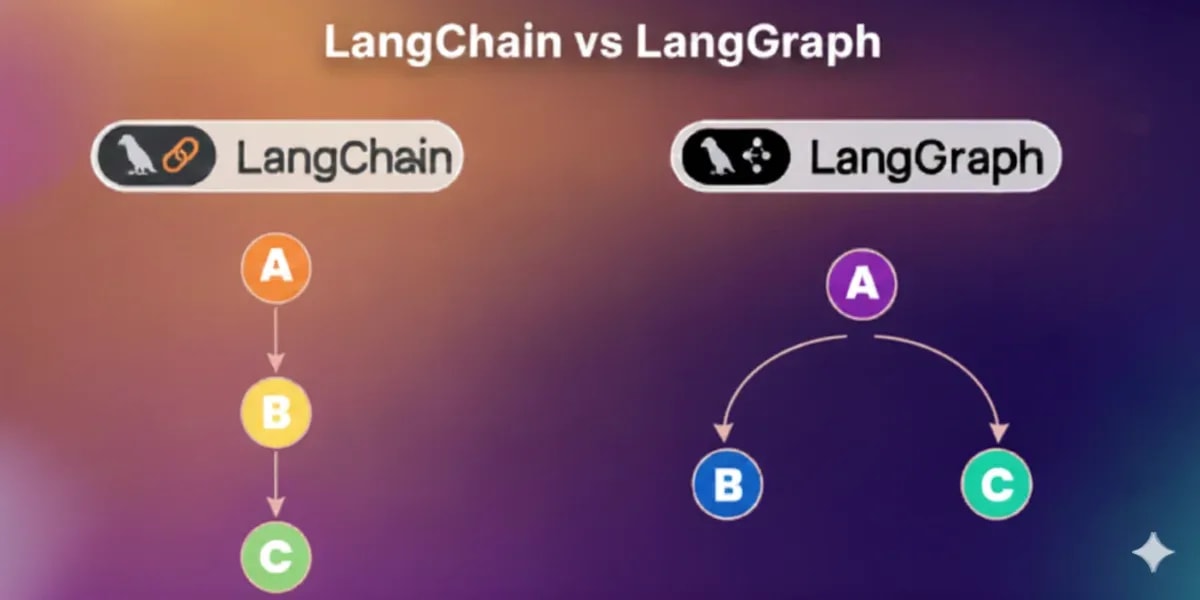
- Developer frameworks (e.g., LangChain, AutoGen, OpenAI Agents SDK): required for tailored, scalable, compliant workflows with deep integration
Industry guides to enterprise AI automation platforms emphasize a staged approach: prove value quickly, then scale with engineering controls.
See this guide to enterprise AI automation platforms for a concise treatment of tradeoffs and architectural choices from Vellum.
Not sure which workflow to automate first?
Take our AI Readiness Assessment - a 10-minute diagnostic that maps your highest-ROI automation opportunities.
Get Your AI Readiness Score
Comparison: no-/low-code vs. developer frameworks
DimensionNo-/Low-Code PlatformsDeveloper FrameworksAdoption speedFastest; business-friendlySlower initially; engineering-ledFlexibilityModerate; opinionated building blocksHighest, full customizationIntegration depthGood via connectorsDeepest via custom APIs/SDKsCost modelSubscription + usageCloud usage + build/ops costsVendor lock-inModerate; proprietary buildersLower; portable architectures are possible
Best practices for deploying AI agent workflows at scale
- Build for reasoning and reliability: prioritize task decomposition, workflow continuity (memory), and robust API/connectors to your core systems.
- Instrument everything: require observability dashboards, trace logs, and audit trails for governance and compliance.
- Balance speed and control: iterate with low-code pilots, then harden in provider-agnostic stacks with enterprise SSO, secrets management, testing, and rollback.
- Keep humans-in-the-loop: for high-risk decisions and regulated steps; define clear escalation thresholds and fallback paths.
- Track KPIs from day one: cycle time, exception rates, cost per transaction, SLA adherence, and user satisfaction, then tune prompts, tools, and policies.
- Align change management: document SOPs, train users, and integrate agent outputs into existing approvals and controls to prevent shadow processes.
For a practical governance checklist, Folio3.ai outlines human-in-the-loop best practices that help sustain trust and auditability at scale.
Frequently asked questions
What are agentic AI agents, and how do they reduce busywork in enterprises?
Agentic AI agents autonomously coordinate and execute multi-step workflows (e.g., email triage, approvals), offloading repetitive tasks and reducing manual handoffs across departments.
Which AI agent workflows offer the highest ROI for enterprises?
Invoice processing, contract intake/review, support ticket triage, and meeting action extraction typically deliver quick, measurable gains due to volume and straightforward success metrics.
How can enterprises balance the speed of deployment with long-term control of AI agents?
Pilot with no-/low-code platforms to validate value quickly, then migrate successful workflows to developer frameworks for deeper integration, security, and governance.
What technical features are essential for effective AI agent workflow implementation?
Essential features include task decomposition, API-based integration with existing systems, workflow memory, observability dashboards, and comprehensive audit logs.
How do AI agent workflows integrate with existing enterprise systems and processes?
Agents use prebuilt connectors and APIs to plug into ERP, CRM, email, and HR systems, honoring current approvals and SLAs while minimizing disruption.